








Thanks for marking this review as helpful.
Deep Art Effects
4.5/5
Product info
| Format | Web (Deep Art Studio), desktop PC software (Deep Art Creator) with offline processing, mobile apps, and an API for |
| Category | Design |
| Last review | 7 May 2026 |
| Published | 25 April 2026 |
| Free trial | No |
| API access | Yes |
Overview
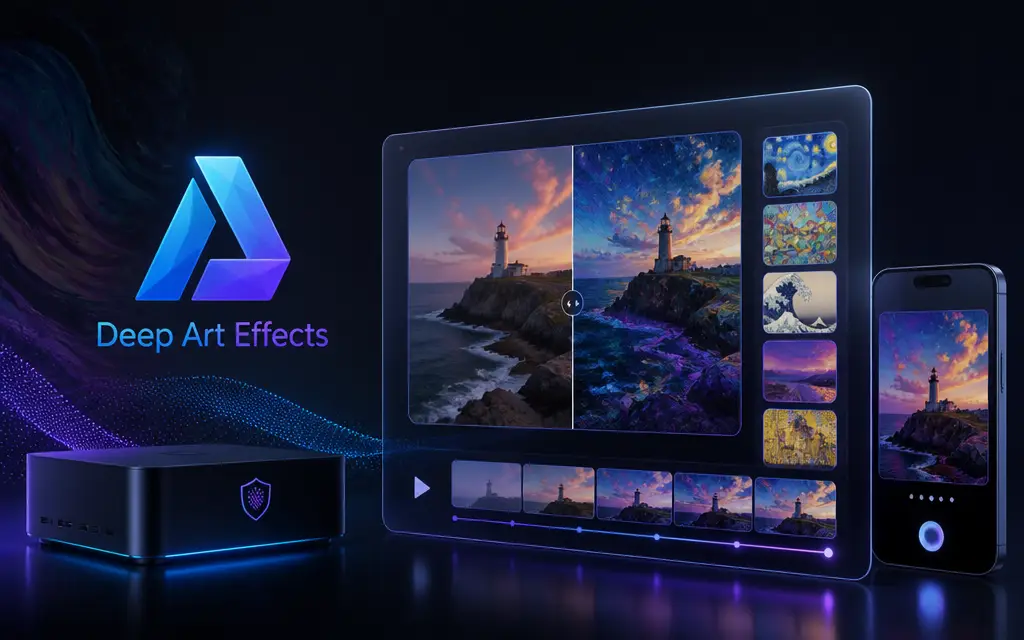
Deep Art Effects presents a practical split between immediate web creativity and private offline control. The web-based Deep Art Studio is pitched for quick image and video transforms and for embedding into business workflows, while the desktop Deep Art Creator emphasizes fully local processing on a PC so pictures never leave the machine. The site highlights artistic style transfer and generative prompts as ways to create striking visuals, and pairs those creative tools with pragmatic utilities such as 4x upscaling, automatic color optimization, background cutout, imitation of SLR rendering, and colorization of black and white photos. Rights management is explicit on the site - created artworks remain with the user - and that, together with local processing, is presented as a privacy advantage for sensitive or commercial projects.
For teams and developers, Deep Art Effects points to an API and a business-facing platform that can bring complex filters into applications, while mobile apps provide capture-to-art convenience for casual use. The product narrative balances consumer-friendly creative tools with developer and enterprise touchpoints, so it can serve independent photographers and designers as well as businesses that need to integrate imaging intelligence. The site emphasizes that users can choose fast web output for instant visuals or the desktop path when full control and local-only processing are priorities.
Highlights
- Positioned as an imaging suite for both creative and business use
- Primary platform footprint spans web, PC desktop offline, mobile, and API
- Best suited to artistic style transfer and generative image and video creation
- Emphasizes local processing on the PC to keep images private
- Supports 4x upscaling with a focus on quality preservation
- Includes practical tools: automatic color optimization and background cutouts
- Offers automatic colorization of black and white photographs
- Provides a Style Transfer API for integration into applications
- Targets photographers, creators, and teams embedding imaging workflows
- Promises that created artwork rights remain with the user
- Highlights instant web visuals alongside full-image power on the desktop
FAQ
Yes. The desktop software (Deep Art Creator) processes images locally on your PC so the pictures do not leave the machine, according to the supplied content.
Yes. The site describes Deep Art Studio as a web-based option that delivers instant visuals and brings images and videos into business workflows.
Yes. The supplied pages mention a mobile app for creating unique artwork from snapshots and invite users to try the free app.
Yes. The headings and paragraphs on the site reference transforming both images and videos into neural art and generating videos from text prompts.
The site states you can scale images to four times the original size without loss of quality.
Yes. The supplied content explicitly says the rights of the created artworks remain with the user.
Yes. The site mentions a Style Transfer API and an AI platform for business use to incorporate complex filters into apps.
Yes. The site notes that the software makes it easy to bring old pictures back to life with automated coloration.
Processing can run locally on the desktop so internet is not required for those workflows. The web studio, by contrast, provides instant visuals from the web.
Yes. The supplied content says the company offers advice and support for demanding imaging projects.
Customer reviews
Michael Turner
June 22, 2026
I used the desktop tool to restore and colorize some family photos. Processing stayed on my PC as promised and the colorization results were impressively natural.
Yes, I recommend this service
Helpful?
Lauren Price
June 22, 2026
The web studio is fast for creating stylized images for social posts. I would like more detail about pricing on the site, but the free mobile app is handy for quick captures.
Yes, I recommend this service
Helpful?
Ethan Morales
June 22, 2026
Great for upscaling older shots - the 4x enlargement kept sharpness better than I expected. The privacy angle of local desktop processing sold me on the platform.
Yes, I recommend this service
Helpful?
Samantha Reed
June 22, 2026
The style transfer results are artistically strong and the mobile app is convenient. I contacted the business API team for integration questions and appreciated the responsiveness mentioned on the site.
Yes, I recommend this service
Helpful?
David Chen
June 22, 2026
As a photographer I value the offline desktop option and the automatic exposure and color optimization tools. They made batch processing much easier.
Yes, I recommend this service
Helpful?
Olivia Brooks
June 22, 2026
Good balance between creative filters and practical tools like background cutout. The site could show more examples of video outputs, but what's described is promising.
Yes, I recommend this service
Helpful?
You may like this
6 reviews
6 reviews
6 reviews
6 reviews
6 reviews
6 reviews
6 reviews
6 reviews
Service
The supplied pages mention a free mobile app but do not list subscription tiers or prices. Pricing details are not